

To access study sessions in lofi.town, log in to https://app.lofi.town/ through your web browser, select “Focus,” then join our session from the Glade lobby using the provided room code.
Website: lofi.town: https://app.lofi.town/
Lobby: Glade
Room code: UXSG
Schedule: Monday to Friday, 12:00 PM to 5:00 PM and 5:30 to 9:00 PM PT
select Saturdays 4:00 PM to 9:00 PM PT
updates on Instagram @ischool_ux and UXSG calendar
Pomodoro method: 25 minutes on, 5 minute breaks
Chat: Text: In-game chat
Text and Voice: UXSG Discord #study-session
For more information regarding the UX Student Group Study Sessions, please see our Study Sessions announcement blog post.
See the full steps below:
- Go to https://app.lofi.town/
- Create an account or sign in using your preferred method.
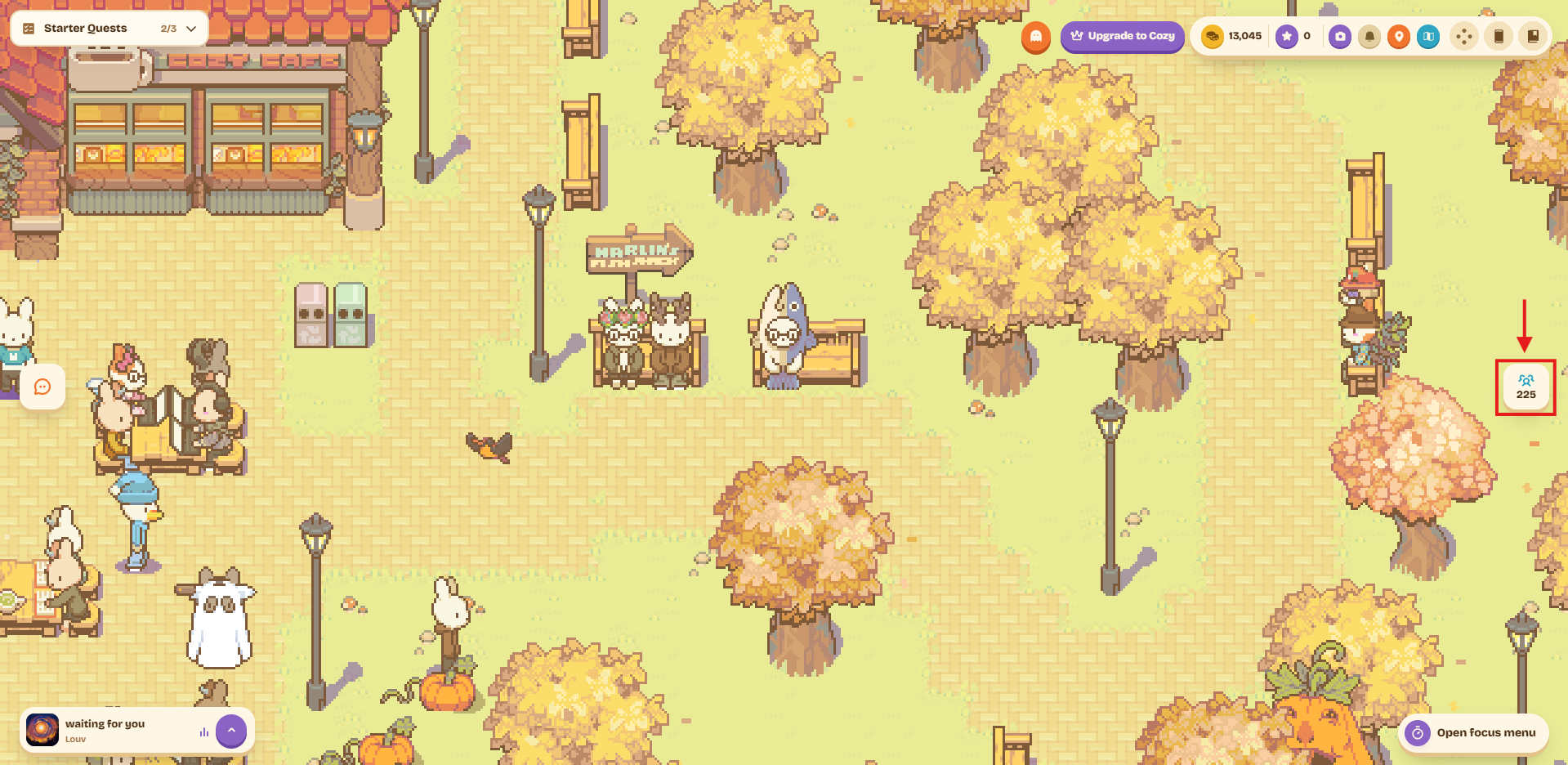
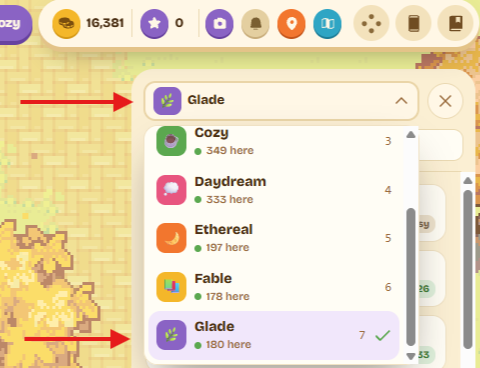
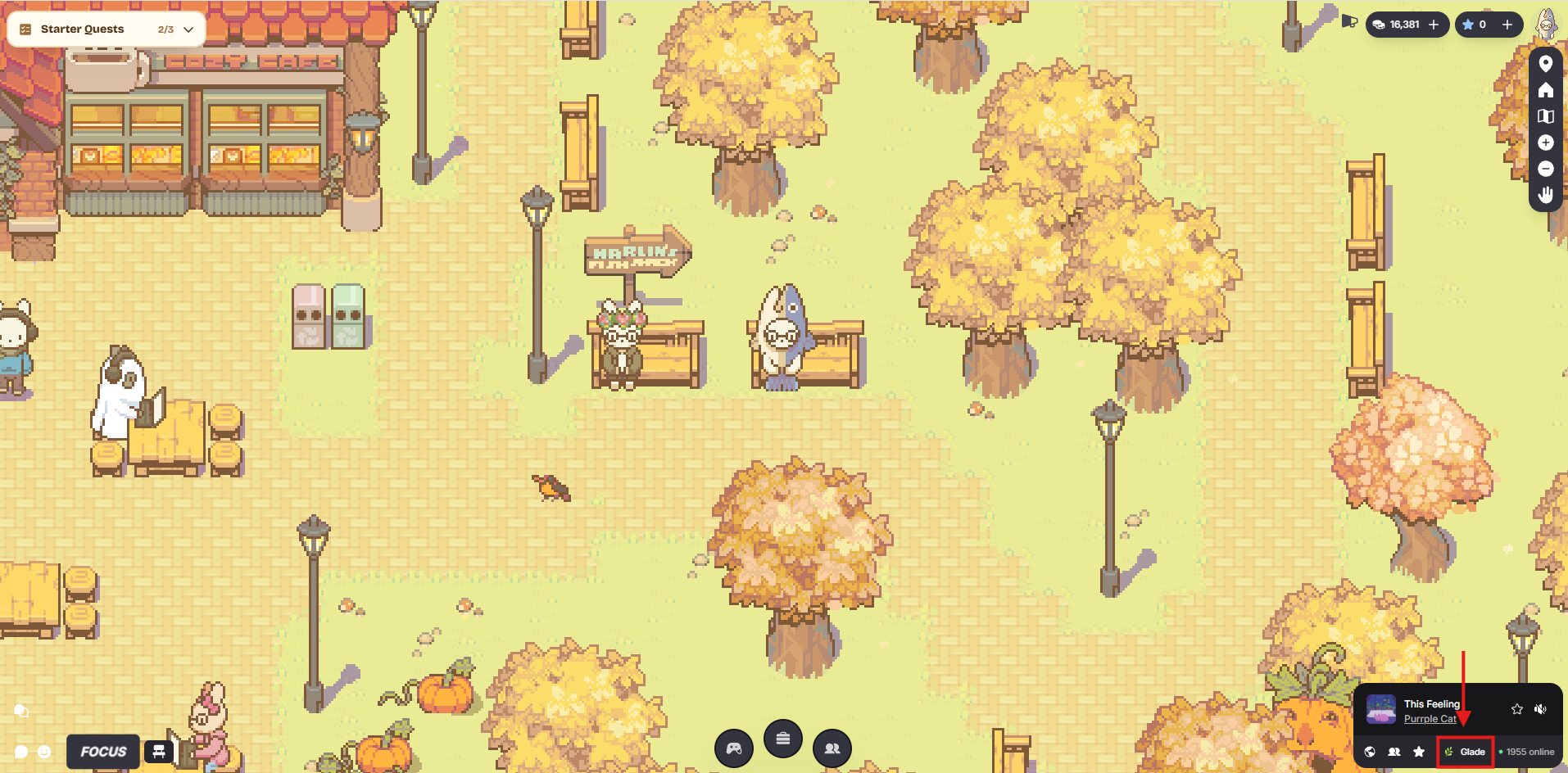
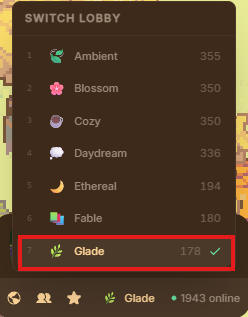
- Make sure you’re in the Glade lobby, where UXSG Study Sessions are held. To do this, press L on your keyboard, followed by the number 7. This selects “Glade” from the list of lobbies. You can also click the following (shows up differently depending on the user interface (UI)):
Cozy UI: The icon on the right side of the screen, showing 3 people and a number below.  Click the top drop down to view all lobbies and select “Glade.”
Default UI: The icon under the music control  that displays the name of the lobby you are currently in. To switch to Glade, select the lobby name, then “Glade” from the dropdown.
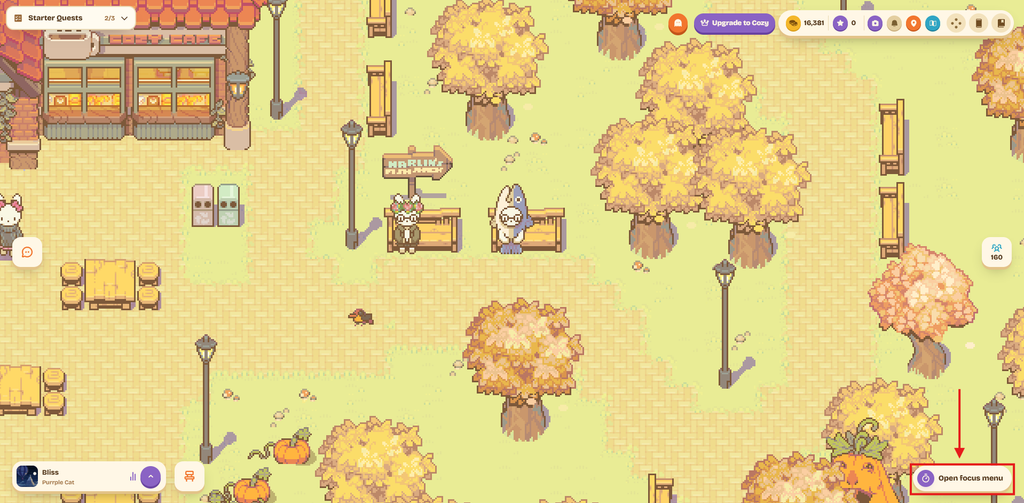
- Open your focus menu under the Open focus menu button
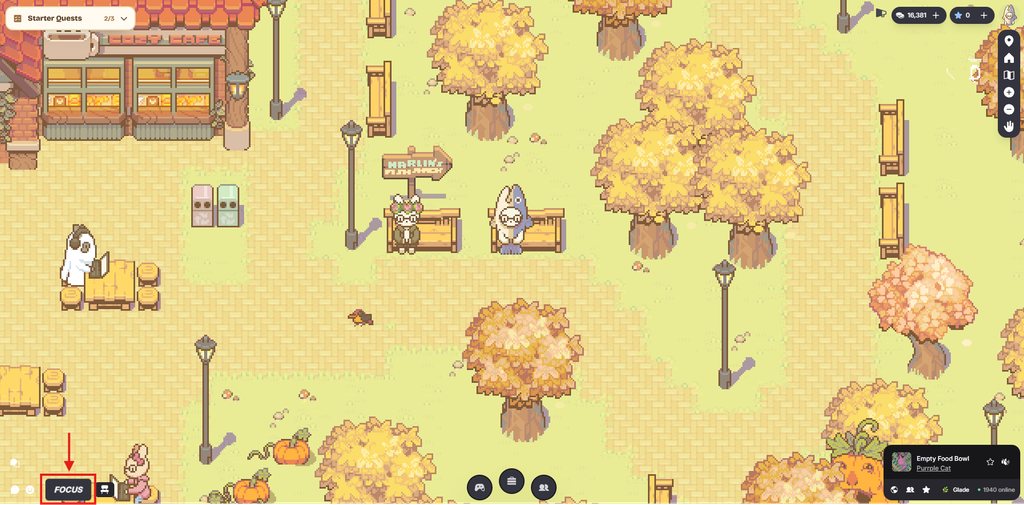
 on the lower right hand side of your screen. If you have the Default UI, the Focus button
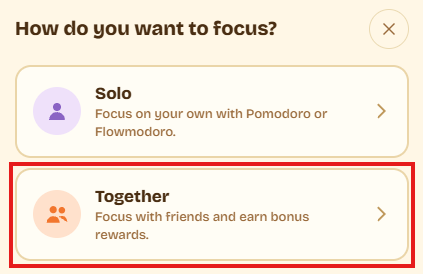
 is on the lower left side. Select Together, then select Join.
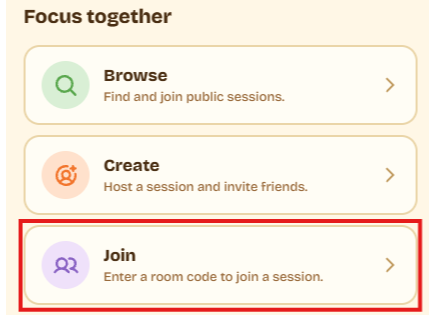
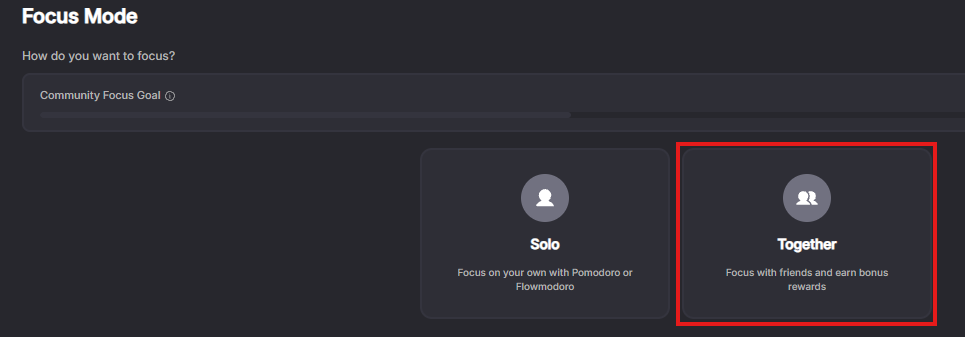
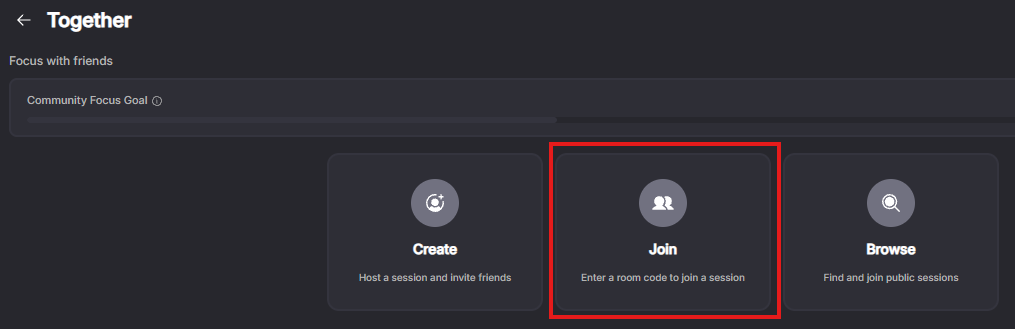
- Enter the room code [UXSG].
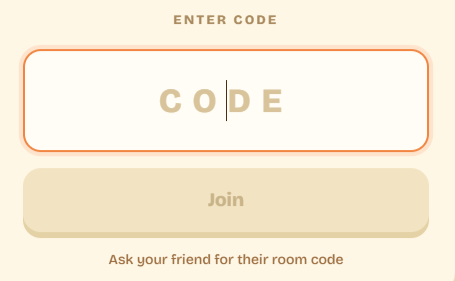
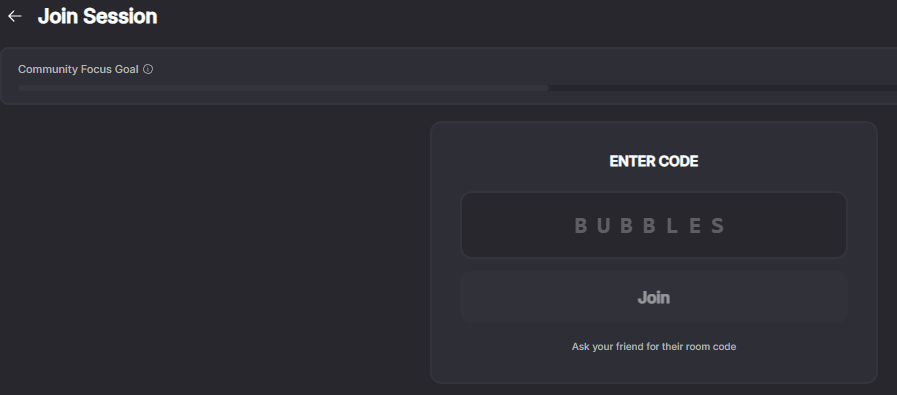
- Move your avatar using the directional keys or WASD on your keyboard.
- Enjoy the game and focus synchronously with fellow students.
Feel free to chat or ask questions during the breaks through Discord #study-session or the in-game chat.
If you would like to know more about lofi.town’s features, controls, and activities, please visit their Wiki: https://lofitown.wiki.gg/wiki/Getting_Started
Participation in the study session is free of charge. Please review lofi.town’s Privacy Policy and abide by their Terms of Service.The UX Student Group is not affiliated with or endorsed by lofi.town in any capacity and are utilizing the website as end-users. If you have any questions, please email sjsu.ischool.ux@gmail.com.